Web design is the process of planning and crafting the visual layout, user experience, and interface of a website. Web development is the technical process of building and maintaining the site’s code and functionality. Understanding the difference between web design and development is not just useful for hiring decisions. It directly shapes how you plan budgets, set timelines, and evaluate the work you receive. Web design covers five core pillars: layout, color palette, typography, UI elements, and UX flow. Development covers HTML, CSS, JavaScript, server setup, database management, API integration, performance, and security. These two disciplines are complementary, not interchangeable, and confusing them is one of the most common and costly mistakes in any web project.
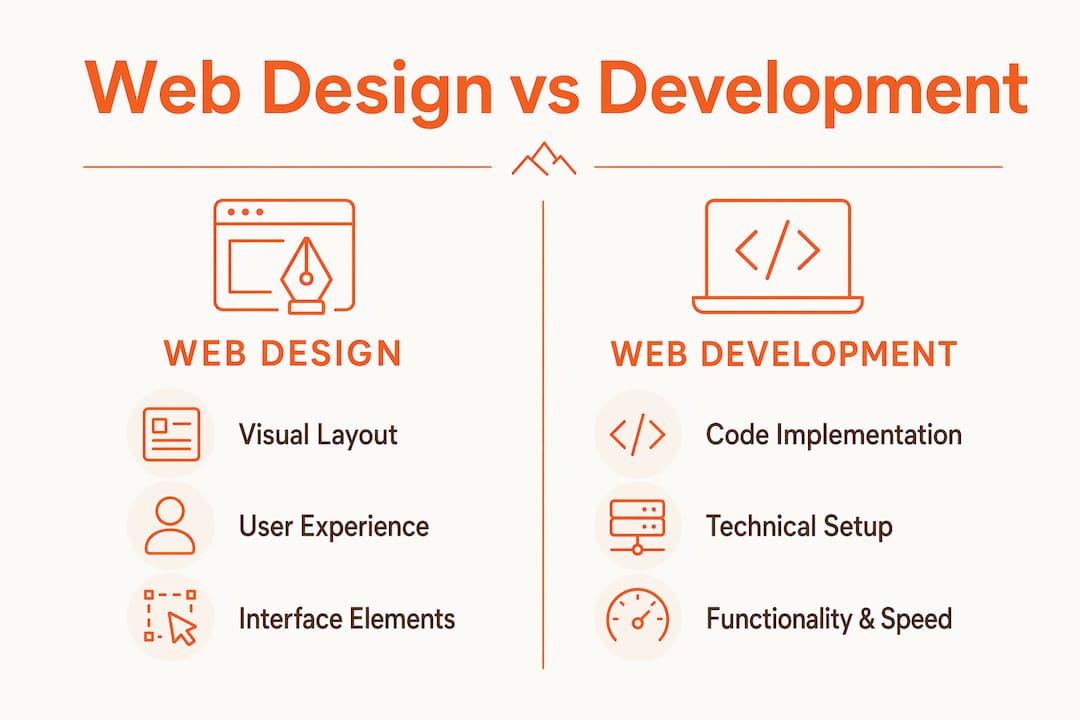
The core definitions of web design vs web development.
Web design is the “what” and “why” of a website. It answers questions like: What does this page communicate? Why is this button placed here? How does a user move from landing page to checkout? A designer’s job is problem-solving for user goals, not just making things look attractive. Web development is the “how.” It answers: How does this animation actually run? How does the form submit data to a database? How does the server deliver the page in under two seconds? Both roles require deep problem-solving, and treating either as purely surface-level work leads to poor outcomes.
The tools each discipline uses reflect this divide. Designers use Figma, Adobe XD, and Photoshop to build wireframes, mockups, and prototypes. Developers use code editors like VS Code, version control systems like GitHub, and deployment environments to turn those designs into live, functional websites. The overlap between these tool stacks is minimal. Expecting one person to master both equally is unrealistic and often produces suboptimal results in both areas.

What does web design actually encompass?
Web design is built on five core pillars, and each one affects how users experience your site. Understanding these pillars helps you evaluate design work and communicate clearly with any designer you hire.
- Layout: The arrangement of content on the page. A strong layout guides the eye, establishes hierarchy, and reduces cognitive load. Grid systems and whitespace are the primary tools here.
- Color palette: Professional web design limits palettes to 3–5 hues. Color choices affect brand perception, readability, and emotional response.
- Typography: Font selection, size, weight, and line spacing all affect how readable and credible a site feels. Base font size should be at least 16px for body copy.
- UI elements: Buttons, forms, navigation menus, icons, and interactive components. These are the touchpoints users interact with directly.
- UX and user flow: The path a user takes through your site to complete a goal. Good UX removes friction. Poor UX loses customers before they convert.
WCAG AA accessibility standards require a minimum contrast ratio of 4.5:1 for body copy. Ignoring this standard is not just a legal risk. It also degrades the experience for a significant portion of your audience and often requires expensive rework later.
UX and UI are related but distinct. UI is the set of visual and interactive elements a user touches. UX is the broader experience of using the product, including how intuitive, efficient, and satisfying the journey feels. A site can have polished UI and broken UX. The checkout button can look great while the checkout process itself loses customers at every step.
Pro Tip:
Design with development feasibility in mind from the start. Before finalizing any mockup in Figma or Adobe XD, confirm with your developer that the interactions, animations, and layouts you’ve planned are buildable within your timeline and budget. This one conversation prevents weeks of rework.
What does web development involve?
Web development builds functional products from design blueprints, handling all technical aspects and integrations. It splits into two primary areas: front-end and back-end.
Front-end development is everything the user sees and interacts with in the browser. It uses HTML to structure content, CSS to style it, and JavaScript to add interactivity. A front-end developer takes a Figma file and turns it into a working web page. Back-end development handles what happens behind the scenes: databases that store user data, APIs that connect your site to third-party services, and server configurations that keep everything running reliably.
Beyond building features, development also covers:
- Performance optimization: Page speed directly affects SEO rankings and conversion rates. Developers compress images, minimize code, and configure caching to keep load times low.
- Security: SSL certificates, input validation, and regular updates protect your site and your users’ data.
- Maintenance: Plugins, frameworks, and content management systems like WordPress require ongoing updates to stay secure and functional.
Development is also the discipline that determines whether a design is actually buildable. A designer might create a beautiful parallax animation that requires a JavaScript library adding 200 kilobytes to your page load. A developer catches that trade-off and proposes a lighter alternative. This is why the two roles need to communicate early and often.
Pro Tip:
When evaluating a developer’s work, ask to see Core Web Vitals scores from Google PageSpeed Insights. These scores measure real-world performance and are a reliable indicator of technical quality.
How do web design and development differ?
The clearest way to understand the difference between web design and development is to compare their responsibilities, tools, and outputs side by side.
| Area | Web Design | Web Development |
|---|---|---|
| Primary focus | Visual layout, UX, UI, brand expression | Code, functionality, performance, security |
| Core tools | Figma, Adobe XD, Photoshop | VS Code, GitHub, deployment environments |
| Key outputs | Wireframes, mockups, prototypes, style guides | Working website, databases, APIs, CMS setup |
| Core languages | None required (visual tools) | HTML, CSS, JavaScript, PHP, Python, SQL |
| Success metric | Usability, clarity, visual consistency | Load speed, uptime, feature accuracy, security |
Treating design as purely visual overlooks its problem-solving nature and leads to sites that look good in a mockup but fail users in practice. Treating development as purely coding ignores the judgment calls developers make about architecture, performance, and long-term maintainability.
One of the most frequent project mistakes is assuming designers and developers use the same skills and can substitute for each other. A full-stack developer who also designs is rare. When you find one, their design work is often functional but not polished, or their code is solid but their UX decisions are weak. Specialized roles produce better results. The goal is not to find one person who does both. The goal is to build a process where both roles collaborate effectively.
Why collaboration between designers and developers matters.
Siloed teams are one of the most reliable ways to waste time and money on a web project. When designers hand off finished mockups to developers without prior conversation, the results are predictable: designs that cannot be built as specified, features that get cut at the last minute, and UX decisions that get reversed during development. Understanding how web design affects development starts with recognizing that every design decision has a technical consequence.
The most successful websites start with design-development collaboration during the wireframing stage. Here is a practical process that works:
- Kickoff together. Designers and developers should attend the same project kickoff. Developers flag technical constraints early. Designers understand platform limitations before investing hours in mockups.
- Review wireframes before high-fidelity design. A developer review at the wireframe stage costs 30 minutes. A developer review after a full mockup is complete costs days of redesign.
- Use shared design systems. Tools like Figma allow designers to build component libraries that developers can reference directly. This reduces interpretation errors and speeds up build time.
- Build in a feedback loop. Schedule a mid-build design review where the developer shows the work in progress. Catching visual drift early is far cheaper than correcting it after launch.
- Test together before launch. Usability testing with at least five users, as recommended by web design best practices, should involve both the designer and developer so fixes are prioritized correctly.
Pro Tip:
Use a shared project management tool like Linear, Notion, or Basecamp to keep design and development tasks visible to both teams. When everyone sees the same board, handoff gaps shrink and accountability improves.
Good collaboration also improves UX and site performance in measurable ways. Designers who understand technical constraints make smarter choices. Developers who understand design intent write better code. The result is a site that converts better, loads faster, and requires less rework after launch.
Should you hire a designer, a developer, or both?
The right answer depends on what your project actually needs. Many clients overbuy or underbuy because they do not know which discipline their problem requires. Here is a practical breakdown.
Hire a designer if:
- Your site exists but looks outdated or off-brand and the underlying code is sound
- You need new landing pages designed before handing them to an existing developer
- You are planning a redesign and need wireframes and mockups before any code is written
- Your UX is confusing users and you need a user journey audit before rebuilding
Hire a developer if:
- You have approved designs and need them built into a functioning site
- You need new features added to an existing site, such as a booking system or eCommerce store
- Your site has performance, security, or maintenance issues that require code-level fixes
- You need custom integrations with third-party APIs or databases
Hire both, or an integrated team, if:
- You are building a new site from scratch with no existing design or codebase
- You are doing a full redesign that requires both visual and structural changes
- Your site needs to generate leads or revenue and you want strategy driving both design and development decisions
- You are building an eCommerce store where UX, performance, and back-end functionality are all critical
Budget and timeline also factor in. Reviewing website cost considerations before you scope a project helps you allocate resources between design and development realistically. A common mistake is spending 80% of the budget on design and leaving too little for quality development, or the reverse. Both disciplines need adequate investment to produce a site that performs.
When evaluating vendors, ask specifically how design and development are handled. Are they done by the same team or handed off between departments? Are they done in-house or outsourced? The answers tell you a lot about how well the two disciplines will communicate on your project.
Key takeaways:
Web design and web development are distinct disciplines that produce the best results when they operate as a unified process, not a sequential handoff.
| Point | Details |
|---|---|
| Design defines the experience | Web design covers layout, color, typography, UI, and UX to shape how users interact with your site. |
| Development builds the function | Web development uses HTML, CSS, JavaScript, and back-end systems to make designs work in a browser. |
| Separate tools, separate skills | Designers use Figma and Adobe XD; developers use code editors and deployment environments. Mastery of both is rare. |
| Collaboration prevents rework | Early design-development alignment during wireframing reduces costly iterations and technical debt. |
| Match the hire to the need | Hire a designer for visual and UX problems, a developer for functional and technical ones, and both for new builds. |
Where design meets development in practice.
I have worked on enough web projects to say this plainly: the single biggest source of wasted budget is the handoff. A designer finishes a beautiful set of mockups, sends them to a developer, and the developer spends the first week asking questions that should have been answered in week one. Fonts not specified. Hover states missing. Mobile layouts undefined. The developer improvises, the designer revises, and the timeline slips.
The fix is not a better handoff. The fix is fewer handoffs. When the same team handles both design and development, or when both disciplines are in the room from day one, the number of interpretation errors drops significantly. I have seen this play out consistently. Projects where designers and developers share a kickoff call produce tighter timelines and fewer post-launch corrections than projects where the two roles operate in sequence.
There is also a subtler issue worth naming. Many clients evaluate design and development separately, as if they are independent deliverables. They judge the mockup on how it looks and the site on whether it works. But the real measure is whether the site converts. That outcome depends on design decisions and development decisions working together. A well-designed page that loads slowly loses customers. A fast page with confusing navigation loses them too. Conversion rate optimization grounded in both design and technical performance is where the real gains live.
My honest recommendation: stop thinking about design and development as two separate line items. Think about them as two inputs to one output, which is a site that earns its keep.
How Expedition handles both for your project.
Expedition is a Cincinnati-based web design and development agency that keeps design and development under one roof, handled by the same U.S.-based team. There is no handoff to a separate vendor and no offshore implementation. Every project starts with strategy, moves through design, and gets built with the same people who planned it. If you are planning a new site, a redesign, or need both disciplines working together on a complex project, explore Expedition’s custom WordPress web design services to see how integrated design and development work in practice. For businesses that need a full rebuild with strategy driving every decision, website redesign services from Expedition are built to deliver measurable results, not just a new look.
FAQ
What is the main difference between web design and development?
Web design focuses on the visual layout, UX, and UI of a site. Web development focuses on building and maintaining the code and functionality that makes the design work in a browser.
Can one person do both web design and web development?
It is possible but uncommon to find someone who excels equally at both. Expecting mastery of both tool stacks is unrealistic and often leads to weaker results in one or both areas.
Why does web design matter for development?
Every design decision has a technical consequence. Animations, layouts, and interactive elements all affect page load speed, build complexity, and long-term maintainability. Design and development must align early to avoid costly rework.
When should a business hire both a designer and a developer?
Hire both when building a new site from scratch, completing a full redesign, or building an eCommerce store where UX, performance, and back-end functionality all need to work together.
What tools do web designers and developers use?
Web designers primarily use Figma, Adobe XD, and Photoshop. Web developers use code editors like VS Code, version control tools like GitHub, and deployment environments to build and launch sites.