Want to know how much your website project would cost?

WordPress Maintenance Cost in 2026: What to Budget

WordPress maintenance dashboard on computer screens

WordPress maintenance cost is the total ongoing expense of keeping your WordPress site secure, updated, and performing, with realistic budgets ranging from $50 to several thousand dollars per month depending on your site’s purpose and complexity. For a typical small business, that adds up to $1,200 to $9,700 annually when you account for hosting, premium plugins, security tools, and professional support. Most business owners underestimate this number because they focus on the build cost and treat maintenance as an afterthought. That gap between expectation and reality is where costly surprises happen.

What does WordPress maintenance cost actually include?

WordPress site maintenance, the industry term for ongoing upkeep services, covers every recurring expense that keeps your site running after launch. The cost is not a single line item. It is a collection of services and subscriptions that compound quickly.

The major cost categories are:

  • Hosting: Your biggest recurring bill. Introductory rates look attractive, but hosting renewal prices commonly jump 320% above the promotional price after the first contract period. A plan advertised at $5/month can renew at $20/month or more.
  • Premium plugin and theme renewals: Most premium plugins charge annual license fees. After acquisitions or ownership changes, those fees often increase significantly with little notice.
  • Security monitoring and patching: The WordPress ecosystem logged 11,334 new vulnerabilities in 2025, up 42% from 2024. Active monitoring and patching is not optional for a business site.
  • Backups and uptime monitoring: Automated backups need to be tested regularly. Untested backups fail when you need them most. Uptime monitoring tools add a small but real monthly cost.
  • Maintenance labor: Whether you do it yourself or hire a professional, someone has to run updates, test for breakage, and troubleshoot conflicts. That time has a dollar value.

Pro Tip:

Treat your maintenance budget as a separate line item from your hosting bill. Bundling them together makes it easy to underestimate the true cost of WordPress support.

The opportunity cost of DIY maintenance is the most overlooked expense. DIY WordPress maintenance typically requires 5–20 or more hours per year for updates, testing, and troubleshooting. At professional developer rates of $75–$200 per hour, that time often costs more than a paid monthly plan.

How do WordPress maintenance costs vary by site type?

Site complexity is the single biggest driver of website maintenance pricing. A personal blog and a WooCommerce store are both WordPress sites, but their upkeep expenses are not remotely comparable.

Recommended Image

Site TypeTypical Monthly CostWhat Is Usually Included
Personal blog$10–$50Hosting, basic updates, manual backups
Small business site$50–$200Updates, security monitoring, backups, uptime alerts
Corporate marketing site$200–$500All of the above plus staging, developer hours, performance checks
WooCommerce store$300–$1,500+Payment gateway monitoring, checkout testing, inventory sync
Enterprise or high-traffic site$1,000+Dedicated developer, SLA-backed uptime, advanced security

A small business site at $50–$200 per month typically covers updates, security monitoring, backups, uptime alerts, and a limited number of developer hours. That is the minimum viable maintenance package for a business that depends on its website for leads or revenue.
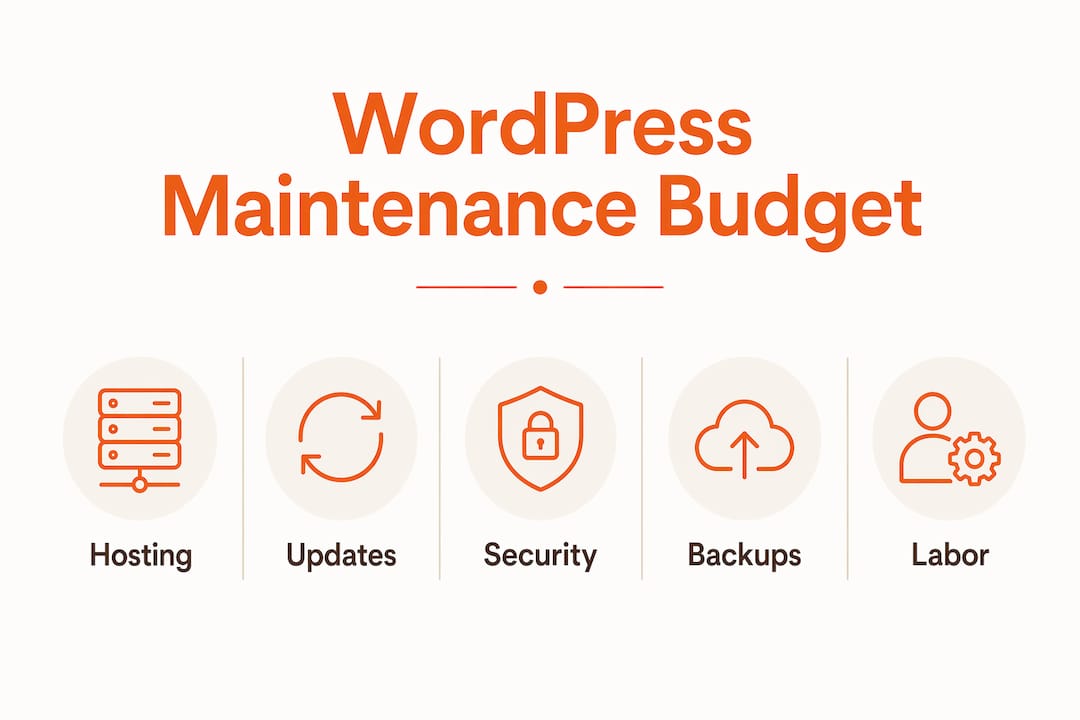
Hierarchy infographic outlining WordPress maintenance budget components

WooCommerce stores require $300–$1,500+ per month because the stakes are higher. A broken checkout page or a failed payment gateway integration costs real revenue by the hour. Specialized maintenance for eCommerce sites includes checkout testing after every update, payment processor compatibility checks, and inventory system monitoring.

A practical budgeting rule: allocate 15–20% of your original build cost annually for maintenance. A $10,000 website implies a $1,500–$2,000 yearly maintenance budget. This rule of thumb works well for small to mid-size business sites and gives you a defensible number to bring to any budget conversation.

Budget-tier plans at $30–$100 per month typically cover only automated updates with no human review. Mid-tier plans at $100–$300 per month add limited support hours. Premium plans at $300–$1,000+ include dedicated developers, staging environments, and tested deployments. Cheap plans are not inherently bad, but they often omit the services that prevent the most expensive problems.

What hidden costs do businesses overlook in WordPress maintenance?

The sticker price of a maintenance plan rarely reflects the full cost of ownership. Several expenses hide in plain sight until they create a budget crisis.

  1. Hosting renewal shock. The 320% markup on hosting renewals is the most common budget blind spot. Many business owners lock in a two-year promotional rate, then face a bill two to three times higher at renewal. Read the renewal terms before you sign.
  2. Plugin price increases after acquisitions. Popular plugins get acquired regularly. New owners frequently raise annual license fees or shift from one-time purchases to subscriptions. A plugin that cost $49 once may now cost $99 per year.
  3. Unaccounted update time. Running a WordPress update takes minutes. Testing it across browsers, checking for plugin conflicts, and fixing a broken layout takes hours. Most DIY site owners do not track this time, which means they do not know what it actually costs them.
  4. Breach recovery costs. Neglected maintenance creates real financial exposure. A web application breach costs a small business $25,000–$50,000 on average, including incident response, remediation, and reputation damage. That figure dwarfs years of professional maintenance fees.
  5. Developer productivity loss. When a non-technical team member handles site updates, the indirect cost is their time away from revenue-generating work. That cost is real even if it never appears on an invoice.

“Unpaid maintenance labor obscures the true cost of WordPress websites. Businesses that treat maintenance as a productivity investment, rather than mere IT overhead, make better decisions about when to outsource it.”

Pro Tip:

Before deciding to manage your site yourself, calculate your hourly rate and multiply it by the time you spend on maintenance each month. Compare that number to the cost of a professional WordPress maintenance plan. The math often favors outsourcing.

How to budget and choose the right WordPress maintenance plan.

Choosing the right plan starts with one question: what does one hour of downtime cost your business? If your site generates leads or processes orders, the answer is probably more than a month of professional maintenance fees.

Assess your site’s criticality first. A brochure site for a local service business has different uptime requirements than an eCommerce store processing daily orders. Your maintenance tier should match the revenue risk, not just the site size.

Understand what each tier actually delivers:

  • Budget plans ($30–$100/month): Automated plugin and core updates, basic uptime monitoring. No human review of changes. Acceptable for low-traffic informational sites with no eCommerce.
  • Mid-tier plans ($100–$300/month): Automated updates plus a set number of monthly support hours. A real person reviews changes and responds to issues. Good fit for most small business marketing sites.
  • Premium plans ($300–$1,000+/month): Dedicated developer time, staging environment, tested deployments, priority response. Required for WooCommerce stores, high-traffic sites, and any site where downtime has direct revenue impact.

When vetting a maintenance provider, ask these specific questions:

  • Do updates get tested on a staging environment before going live?
  • What is the response time for a site-down emergency?
  • Are backups stored off-site and tested for restoration?
  • Does the plan include security scanning, or is that a separate add-on?
  • What happens if an update breaks something outside the included hours?

Contract terms matter as much as price. Month-to-month agreements give you flexibility. Long-term contracts can lock you into a provider that underdelivers. Expedition, for example, operates on month-to-month terms with no onboarding fees, which means you are not committed before you see results.

You can also use your website cost estimate to build a realistic annual budget that accounts for both build and maintenance expenses from the start.

Key Takeaways:

WordPress maintenance cost is a multi-component annual expense that ranges from $600 to over $18,000 per year, and businesses that budget for it proactively avoid the security breaches and downtime that cost far more to fix.

PointDetails
True cost is more than hostingFactor in plugins, security, backups, labor, and renewal markups for an accurate budget.
Match tier to revenue riskeCommerce and lead-gen sites need premium plans; informational sites can use mid-tier.
Budget 15–20% of build costA $10,000 site warrants $1,500–$2,000 per year in maintenance spending.
DIY has real hidden costsUntracked update time at developer rates often exceeds the cost of a paid plan.
Breaches cost far moreA single security incident averages $25,000–$50,000, dwarfing years of maintenance fees.
From the Founder:

Why I think most businesses are budgeting for WordPress maintenance wrong.

Bradley Givens here. After years of building and maintaining WordPress sites for businesses across Cincinnati and beyond, I have seen the same pattern repeat itself. A business invests $8,000–$15,000 in a well-designed website, then allocates nothing for ongoing maintenance because it feels like the hard part is done.

The hard part is never done. WordPress is a living platform. Core updates, plugin updates, and security patches arrive constantly. The 42% increase in WordPress vulnerabilities from 2024 to 2025 is not a fluke. It reflects a platform that is actively targeted because it powers a large share of the web.

What I have found is that businesses do not undervalue maintenance because they are careless. They undervalue it because the costs are invisible until something breaks. Hosting renewal markups show up quietly on a credit card statement. Plugin price increases arrive in an email that gets ignored. DIY update time never appears on a P&L. The result is a maintenance budget that looks fine on paper but leaves the site genuinely exposed.

The businesses that handle this well treat maintenance as a productivity and risk management investment, not a line item to minimize. They ask what downtime costs them per hour, compare that to the monthly fee for professional support, and make a clear-eyed decision. That framing changes the conversation from “how do I spend less on maintenance” to “how do I protect what I built.”

Outsourcing maintenance to a team that already knows your site, like the same team that built it, also frees your internal people to focus on growth work instead of troubleshooting plugin conflicts at 9 PM. That productivity gain is real, even if it is hard to put on a spreadsheet.

- Bradley Givens, Co-Founder & Creative Director

Expedition’s approach to WordPress maintenance.

Expedition handles WordPress maintenance for businesses that want their site protected without managing it themselves. Our website maintenance plans cover core and plugin updates, security monitoring, off-site backups, uptime alerts, and developer support, all handled by the same U.S.-based team that builds and markets our clients’ sites. There is no handoff to a separate vendor and no offshore implementation. Plans are month-to-month with no onboarding fees, and we price-match existing scopes when you move over from another provider. If you are also considering a new build or a redesign, our small business website design packages are built with long-term maintenance costs in mind from the start.

FAQ

What is the average WordPress maintenance cost per month?

Most small business sites fall in the $50–$200 per month range for professional maintenance covering updates, security, and backups. eCommerce sites typically require $300–$1,500 per month due to the complexity of payment and checkout systems.

Is DIY WordPress maintenance actually cheaper?

Not always. DIY maintenance typically takes 5–20 or more hours per year, and at developer rates of $75–$200 per hour, that time often costs more than a mid-tier maintenance plan. The hidden labor cost makes DIY more expensive than it appears.

What happens if I skip WordPress maintenance?

Neglected maintenance leaves your site exposed to security vulnerabilities. A web application breach costs a small business $25,000–$50,000 on average in remediation and reputation damage, far exceeding the cost of consistent upkeep.

How much should I budget for WordPress upkeep expenses annually?

Budget 15–20% of your original website build cost per year. A site that cost $10,000 to build warrants $1,500–$2,000 annually in wordpress upkeep expenses covering hosting, plugins, security, and professional support.

What should a WordPress maintenance plan include at minimum?

A minimum viable plan covers core and plugin updates, automated off-site backups, uptime monitoring, and security scanning. Any plan that omits security monitoring or backup verification is not adequate for a business-critical site.

In this article:

Get an estimate for your website project in minutes.

Customize your website estimate by answering a few quick questions. Get instant pricing with no commitment.

No email required!

Continue Reading

Team in web design discovery meeting

The Benefits of Integrated Design and Development Services

Read More
Founder sketching brand ideas at desk

In-House Hire vs. Outsourcing Design and Development: Making The Right Choice

Read More
Woman browsing ecommerce on smartphone at home

Responsive Web Design: Why Is It Important?

Read More