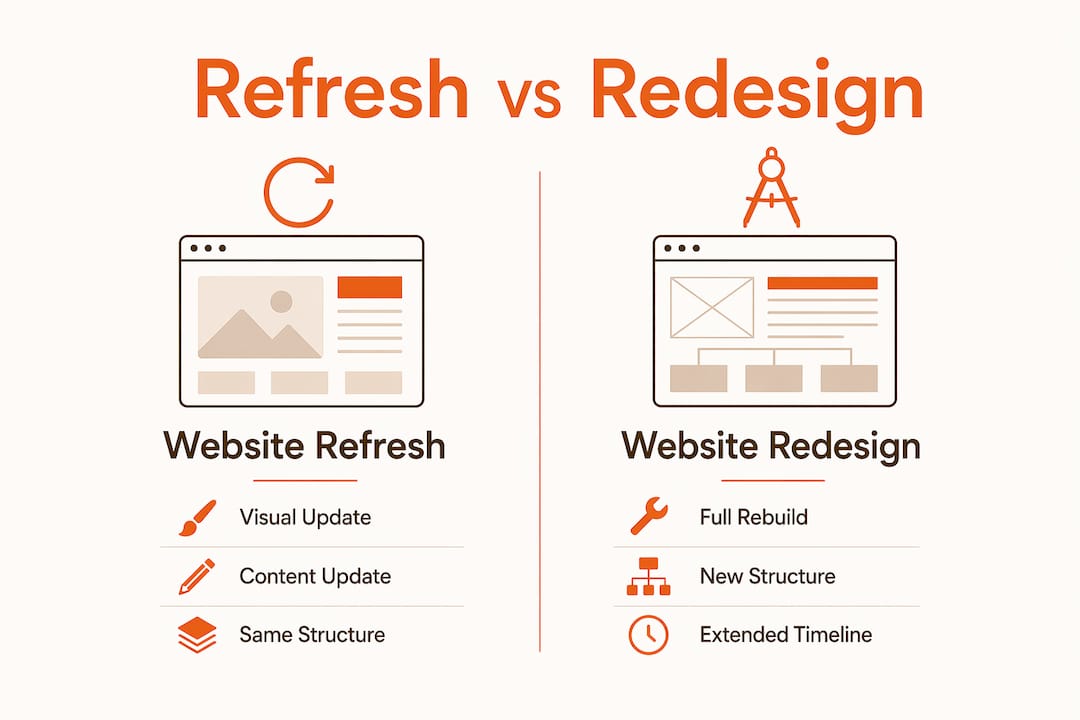
A website refresh is a visual and content update that preserves your existing site structure, while a website redesign completely rebuilds your site’s architecture, layout, and functionality. Understanding the difference between these two approaches is the most important decision you’ll make before spending a dollar on your website. The wrong choice costs you time, money, and search rankings. This guide walks you through the core distinctions, the signals that point toward each option, and how to execute either one with confidence.
What is the difference between a website refresh and a redesign?
A refresh updates visuals and content without altering the site’s structure, while a redesign changes the structure, visuals, and underlying codebase. That distinction shapes everything: cost, timeline, technical risk, and long-term outcomes. Think of a refresh as repainting and refurnishing a building, while a redesign tears down walls and reroutes the plumbing.
The scope difference is significant. A refresh typically takes weeks and costs a fraction of a full rebuild. A redesign can take three to six months and requires discovery, strategy, design, development, and testing phases before anything goes live. Both approaches serve legitimate business needs. The mistake is choosing one without understanding what your site actually requires.

Here is a direct comparison to frame your decision:
| Aspect | Website refresh | Website redesign |
|---|---|---|
| Scope | Visual and content updates only | Full structural and functional overhaul |
| Timeline | Days to weeks | Three to six months |
| Cost | Lower investment | Higher investment |
| SEO risk | Minimal | Moderate to high if not managed carefully |
| Best for | Sound foundation, dated appearance | Outdated platform, major UX issues, business pivot |

Pro Tip:
Before committing to either path, audit your site’s technical debt. If your WordPress theme is five or more years old, your page builder is deprecated, or your mobile scores in Google PageSpeed Insights are below 50, you likely have structural problems a refresh cannot fix.
When should you choose a refresh over a redesign?
A refresh is the right call when your site’s foundation is still sound and your brand identity has not fundamentally changed. A well-executed refresh can increase engagement cost-effectively when the site’s structure is solid. This is not settling for less. It is a deliberate, efficient strategy.
Choose a refresh when:
- Your platform (WordPress, Squarespace, Webflow) is current and performing well
- Your navigation structure and information architecture still make sense
- Your brand colors, logo, and messaging are consistent and accurate
- You need updated photography, refreshed copy, or a modernized color palette
- Mobile responsiveness needs minor fixes rather than a complete rebuild
- Your conversion rates are acceptable but your visuals feel dated
Choose a redesign when:
- Outdated software, poor mobile experience, and inability to update content are present
- Your business has pivoted, added major service lines, or rebranded entirely
- Your site runs on a platform you can no longer maintain or scale
- Users consistently drop off at the same broken or confusing pages
- Your site cannot support new integrations, lead capture tools, or eCommerce functionality
Pro Tip:
Align your decision with your next 18 months of business goals, not just your current frustrations. If you are planning a rebrand, a new product launch, or a shift in your primary audience, a refresh will not hold up. Build for where you are going, not where you are.
How to execute a website refresh effectively.
A website refresh is not a single task. It is a coordinated set of updates that, done well, can meaningfully improve how your site performs without touching the underlying code.
Here are the most impactful refresh activities, in order of priority:
- Update your photography and visuals. Stock photos from 2018 signal neglect immediately. Replace them with current, brand-consistent imagery. Common refresh updates include new photos, simplified navigation, fixed mobile responsiveness, and refreshed typography.
- Rewrite or update your core pages. Your homepage, about page, and primary service pages carry the most SEO weight. Updating website content can boost SEO by up to 72%. That is a significant gain achievable without a full rebuild.
- Fix mobile responsiveness issues. Test every page on iOS Safari and Android Chrome. Button sizes, font scaling, and image cropping are common failure points that a developer can address in hours, not weeks.
- Refresh your typography. Swapping to a modern type pairing (such as a clean sans-serif for headings and a readable body font) updates the visual feel of a site without touching layout or structure.
- Simplify navigation. Remove menu items that no longer reflect your services. Reduce top-level navigation to five items or fewer. Users should reach any core page in two clicks.
- Improve page speed. Compress images, remove unused plugins, and enable caching. A one-second delay reduces conversions by 7% and page views by 11%. Speed improvements are often achievable within a refresh scope.
Avoid the most common refresh mistake: updating visuals while ignoring content. A beautiful page with outdated messaging or broken calls-to-action will not convert. Treat copy and design as equally important during any refresh project.
Planning a website redesign: what marketers and business owners should know.
A website redesign is a structured project with defined phases, not a creative free-for-all. Understanding what those phases involve helps you set realistic expectations and protect your budget.
The standard redesign process
A redesign typically includes discovery, strategy, design, development, testing, and launch phases. Each phase builds on the last. Skipping discovery to save time is the most common reason redesigns go over budget or miss the mark on business goals.
Strategic benefits beyond aesthetics
A redesign gives you the opportunity to fix problems a refresh cannot touch. You can restructure your information architecture so search engines and users find what they need faster. You can integrate CRM tools, marketing automation platforms, or eCommerce functionality. You can rebuild on a modern, maintainable codebase that your team can actually update without developer support.
Website redesign improves brand identity, user experience, SEO, and conversions when tied to a clear strategy. The keyword there is “strategy.” A redesign without a defined goal is an expensive visual refresh.
Redesign readiness checklist
Before committing to a full redesign, confirm the following:
- You have documented your current site’s performance benchmarks (traffic, conversions, bounce rate)
- You have defined the primary goal of the new site (lead generation, eCommerce, brand authority)
- You have a content plan, not just a design plan
- You have allocated budget for post-launch SEO work and redirects
- You have internal stakeholder alignment on brand direction and messaging
A redesign supports business pivots, new offerings, and revamped marketing strategies in ways a refresh simply cannot. If your business has changed significantly in the past two years, your website probably has not kept up. That gap costs you credibility and conversions every day it persists.
For a detailed planning framework, Expedition’s redesign readiness checklist walks through every phase from discovery to launch.
Key takeaways:
A website refresh handles visual and content updates on a sound foundation; a full redesign is required when your platform, structure, or business direction has fundamentally changed.
| Point | Details |
|---|---|
| Refresh vs redesign defined | A refresh updates visuals and content; a redesign rebuilds structure, layout, and codebase. |
| When to refresh | Choose a refresh when your platform is current, your brand is intact, and issues are cosmetic. |
| When to redesign | Choose a redesign when your platform is outdated, UX is broken, or your business has pivoted. |
| SEO opportunity | Updating content during a refresh can boost SEO by up to 72% without a full rebuild. |
| Redesign requires strategy | A redesign without defined business goals is an expensive cosmetic update with structural risk. |
My honest read on the refresh vs. redesign decision.
I have seen both mistakes made repeatedly. Business owners invest in a full redesign when a focused refresh would have solved the problem in six weeks for a third of the cost. I have also seen teams patch a fundamentally broken site with refresh after refresh, spending more over three years than a single redesign would have cost.
The misconception I push back on most often is that a refresh means you are cutting corners. A well-planned refresh on a solid WordPress or Webflow site can produce real results: better conversion rates, improved SEO, and a modernized brand presence. The key word is “planned.” A refresh done without a clear scope turns into scope creep that costs as much as a redesign anyway.
On the redesign side, the biggest mistake I see is launching without a content strategy. Teams spend months on design and development, then populate the new site with the same outdated copy from the old one. The structure improves but the messaging does not. Search engines and users both notice.
My practical advice: start with a technical audit and an honest assessment of your business goals. If your platform is sound and your brand is consistent, refresh first. If you are fighting your own site every time you try to update a page, or if your business looks meaningfully different than it did when the site was built, a redesign is the right investment. You can explore redesign cost factors to set realistic budget expectations before you commit to either path.
How Expedition approaches refresh and redesign projects.
Expedition works with business owners and marketing teams across Cincinnati and nationally on both website refreshes and full redesigns. Every project starts with a strategy conversation, not a design conversation. That means you get a clear recommendation on which approach actually fits your goals and budget before any work begins. Expedition’s custom website design services cover everything from focused refresh projects to complete rebuilds on WordPress, with the same U.S.-based team handling design, development, and post-launch support. If you are ready to move forward or just want a second opinion on your current site, Expedition’s website redesign services are a good place to start.
FAQ
What is a website refresh exactly?
A website refresh updates a site’s visuals, content, and minor functionality without changing its underlying structure or codebase. It is faster and less costly than a full redesign.
How long does a website redesign take?
A full website redesign typically takes three to six months, covering discovery, strategy, design, development, testing, and launch phases.
Can a refresh improve my SEO?
Yes. Updating website content during a refresh can boost SEO by up to 72%, making it one of the highest-return activities within a refresh scope.
How do I know if I need a redesign instead of a refresh?
Signs you need a redesign include an outdated or unsupported platform, poor mobile experience, inability to update content easily, and a business direction that no longer matches your current site’s structure or messaging.
Does a redesign hurt my existing SEO rankings?
A redesign carries moderate SEO risk if URL structures change and redirects are not properly implemented. With careful planning, including a redirect map and post-launch monitoring, most sites recover and improve rankings within a few months.